
Artemis Logo
Artemis ABA
Artemis ABA
September
Product Update

Major Updates
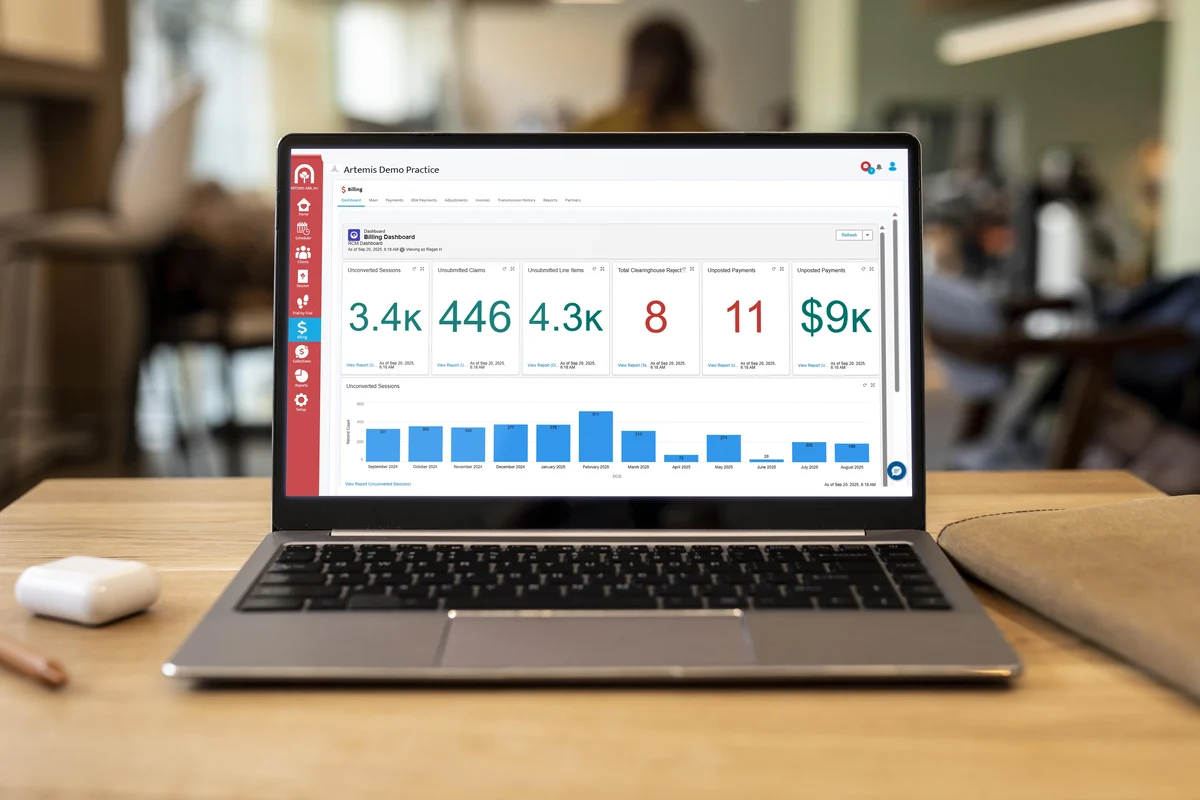
- Billing Dashboard: A new Billing Dashboard is available in the Billing Module, providing key billing metrics. Access to this dashboard can be added via your access levels in the Setup Module.
Artemis ABA
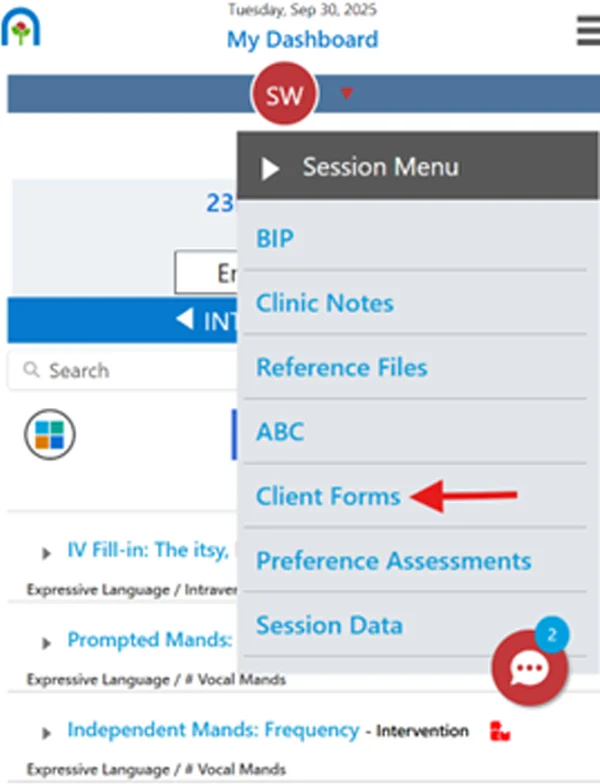
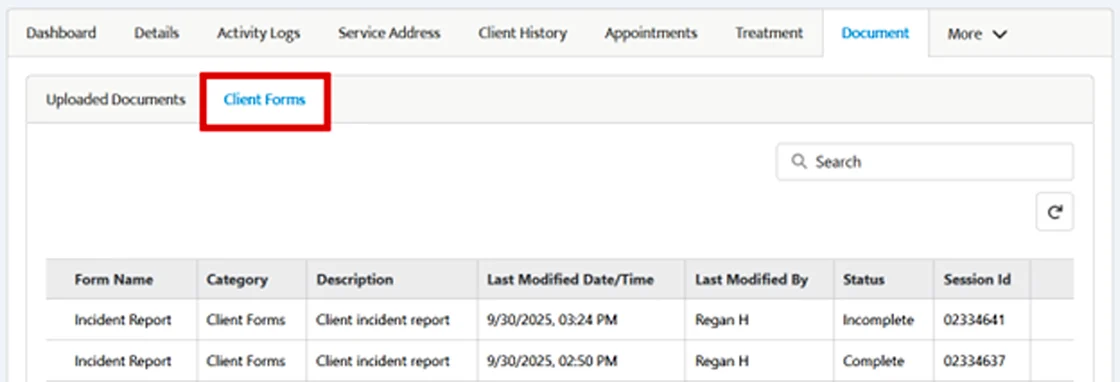
- Client Forms: Clinical Reports have been renamed Client Forms. These custom-built forms can now be added into Data Collection sessions for RBTs to complete. Saved forms are stored in the Client 360 > Documents tab under Client Forms.
Artemis ABA
Artemis ABA
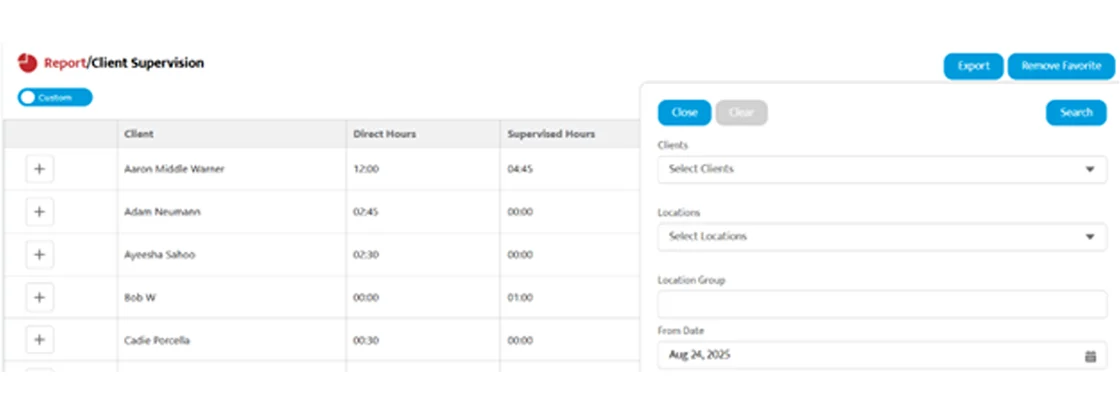
- Client Supervision Report: The report in the Home Module now includes updated calculations and full access with filter options. Use View Report, apply filters, and click Search to run the report.

Artemis ABA
Artemis ABA
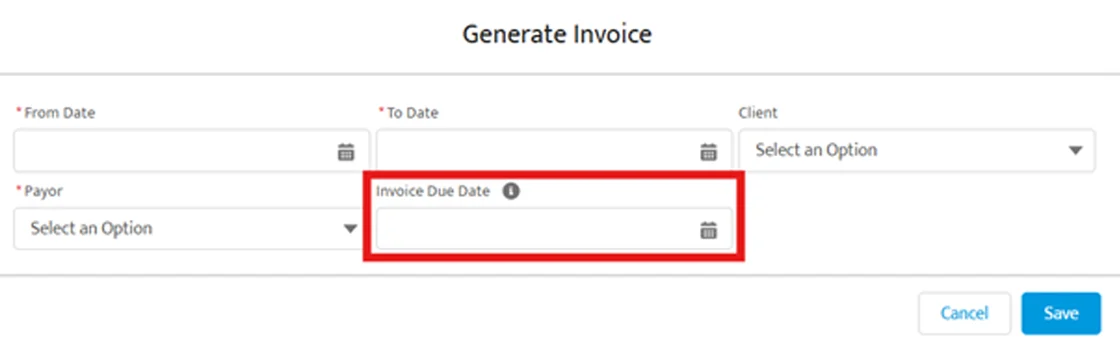
- School District Invoice: You can now generate invoices for multiple clients at once. Select the Payor or School District, set the date range, and click Save to create invoices across clients. You can also set a custom due date for each invoice.
Artemis ABA
- Anodyne Automatic Posting: Parent payments made via Anodyne will now automatically post to the Artemis outstanding claims.
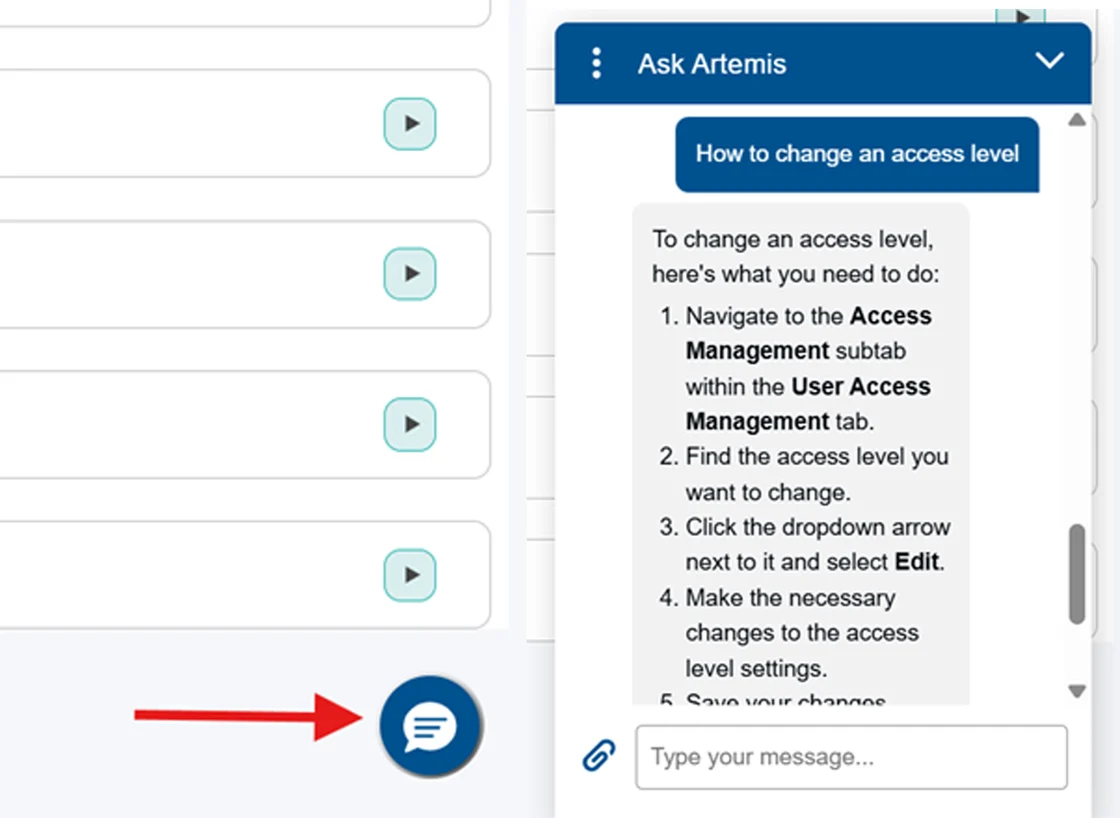
- Ask Artemis Chatbot: A new FAQ chatbot is available at the bottom of your screen, allowing quick searches and answers from the help files.
Artemis ABA
Additional Changes
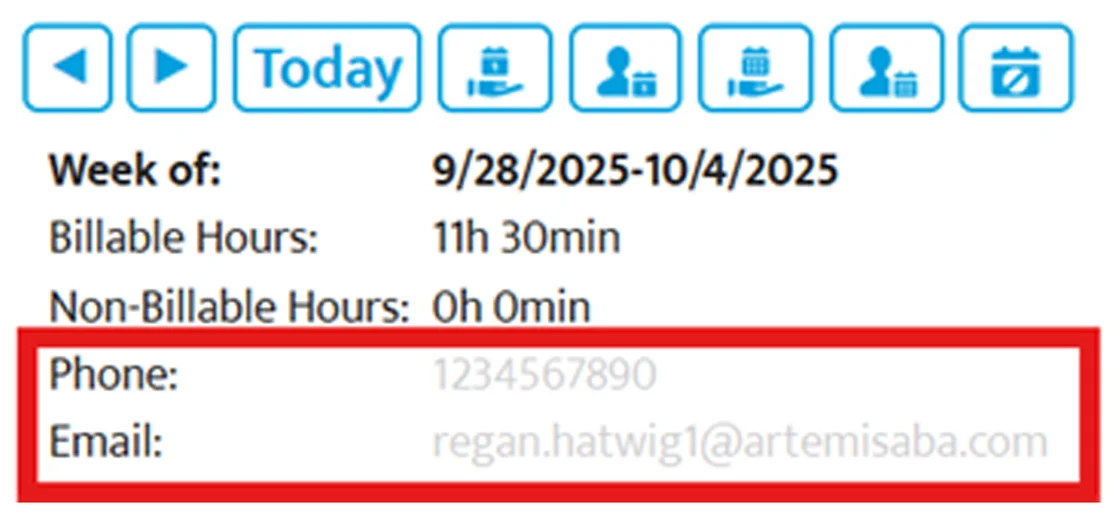
- Week Planner: Access the Client or Provider Week Planner directly from the Scheduler main page. Both reports include updated calculations, and the Provider Week Planner now displays the provider’s contact information for quick reference.
Artemis ABA
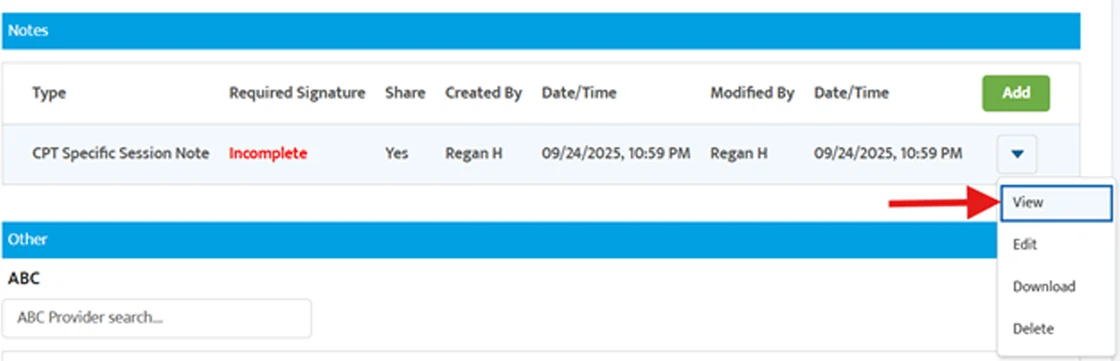
- View-Only Session Notes: A new “view” option allows you to review session notes without additional popups. We standardized the View, Edit, Download, Delete actions across all note types.
Artemis ABA
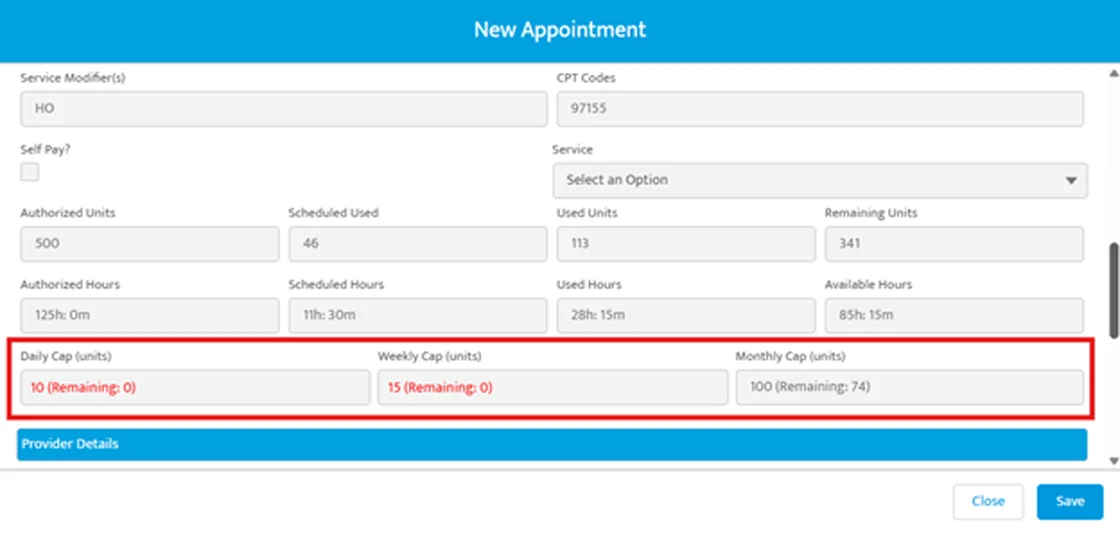
- Remaining Units: When creating a single appointment, you can now view the number of remaining units for daily, weekly, or monthly authorization limits right on the appointment screen.
Artemis ABA
- Payer Mix Report: A new Location Group filter is available in the Payer Mix report. Leave it blank to view data across all locations or select a specific location group for targeted results.
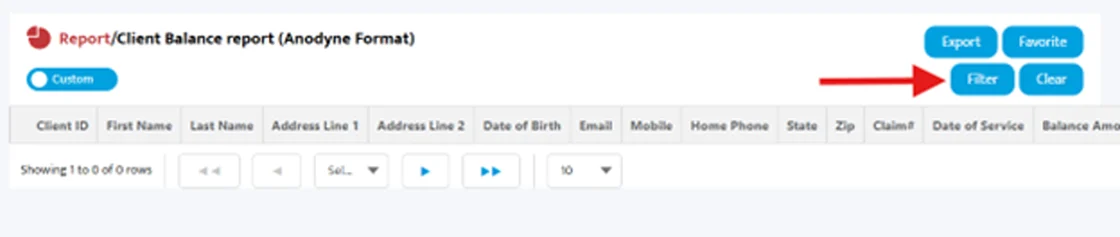
- Client Balance Report (Anodyne Format): The Anodyne report now includes new filter options, such as From/To DOS, Client Name, and Location. There’s also a new column for Claim Line Number in the report.
Artemis ABA
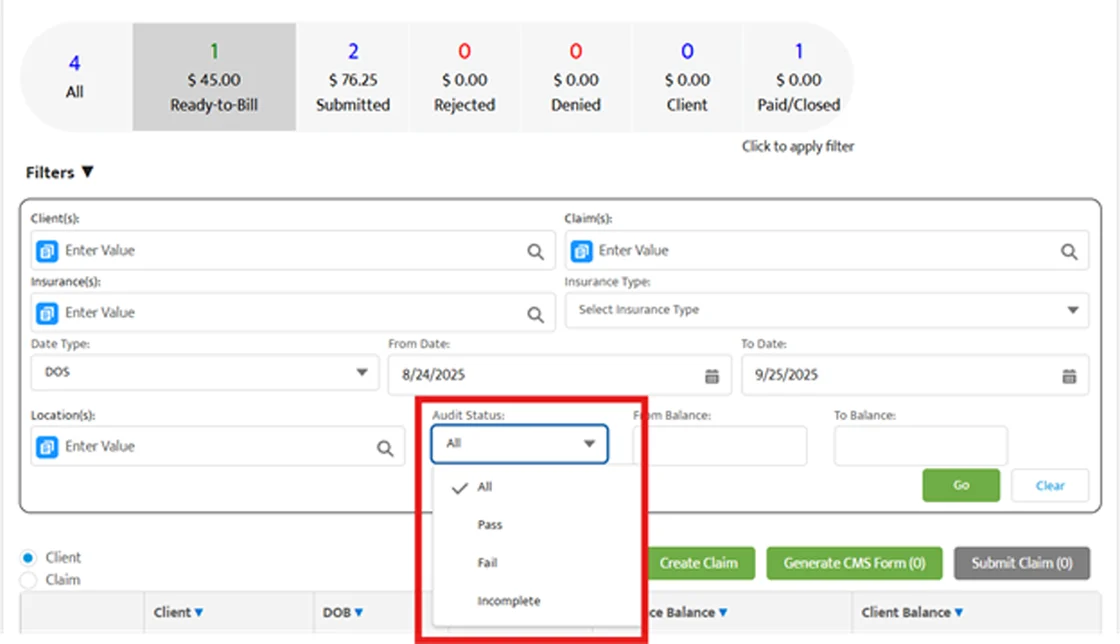
- Audit Status Filter: A new filter on the Billing main screen lets you quickly find claims by audit status.
Artemis ABA
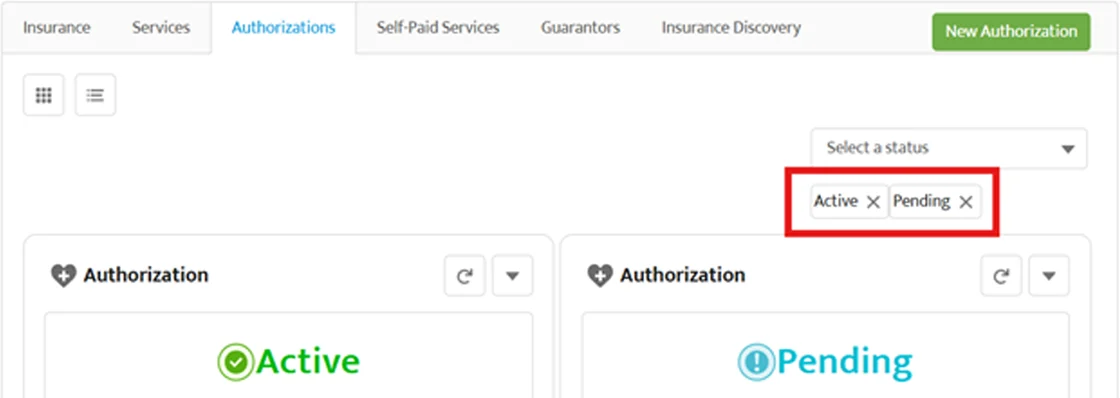
- Client Authorizations: In Client 360, you can now view pending and active authorizations at a glance. These appear by default for quick access.
Artemis ABA
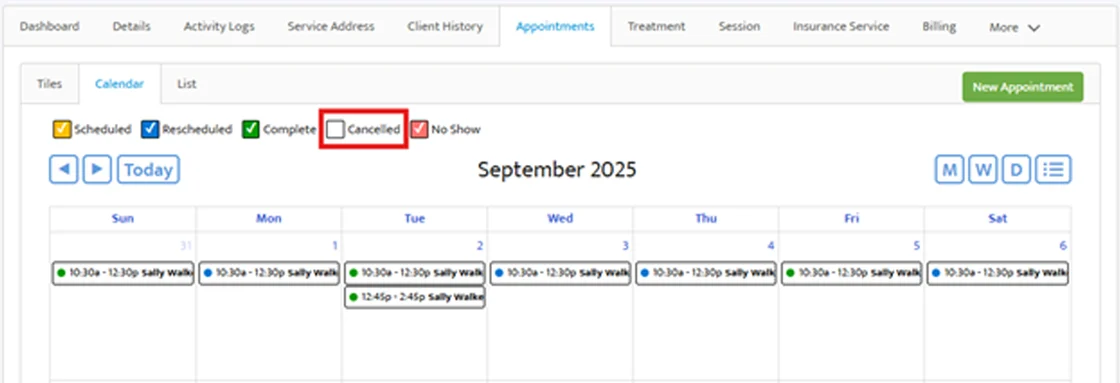
- Client 360 Calendar: Cancelled appointments are now excluded from the default view. To see them, select the Cancelled filter.
Artemis ABA
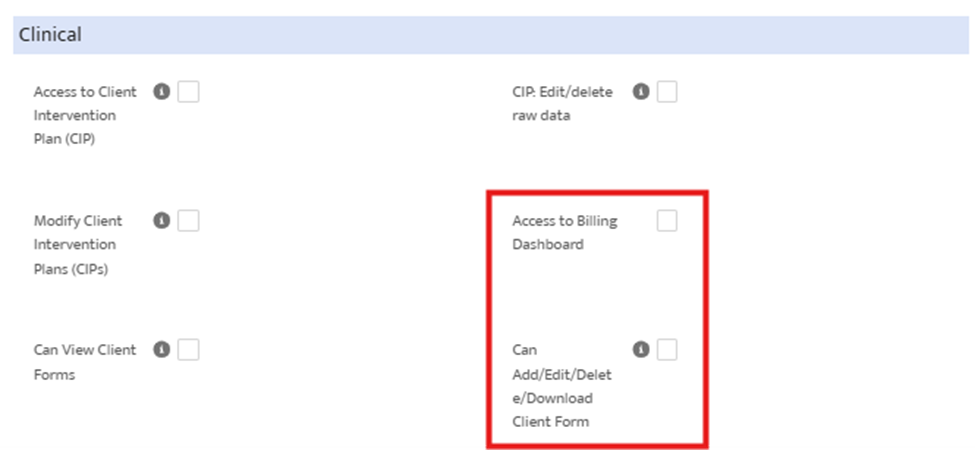
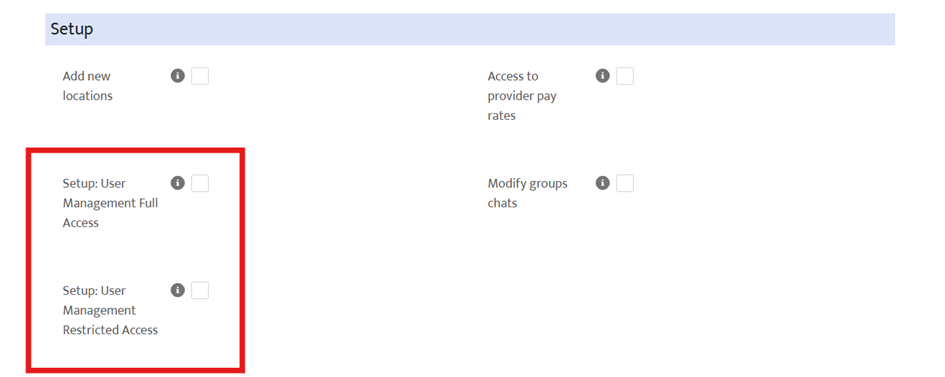
- User Access Management -New Permissions: The Setup Module now includes additional permissions you can assign in the User Access Management tab:
- Access to Billing Dashboard – Grants access to view key billing metrics in the Billing Dashboard.
- Setup: User Management Full Access – Full access to manage users and access levels.
- Setup: User Management Restricted Access – Limited to enabling/disabling users and assigning existing access levels.
- Can Add/Edit/Delete/Download Client Forms – Full access to manage client forms in Client 360.
Artemis ABA
Artemis ABA
- Update Email: You can now update a user’s email directly in the Setup Module under the Provider or Staff list. Note that changing the email also updates the username.
Bug Fixes
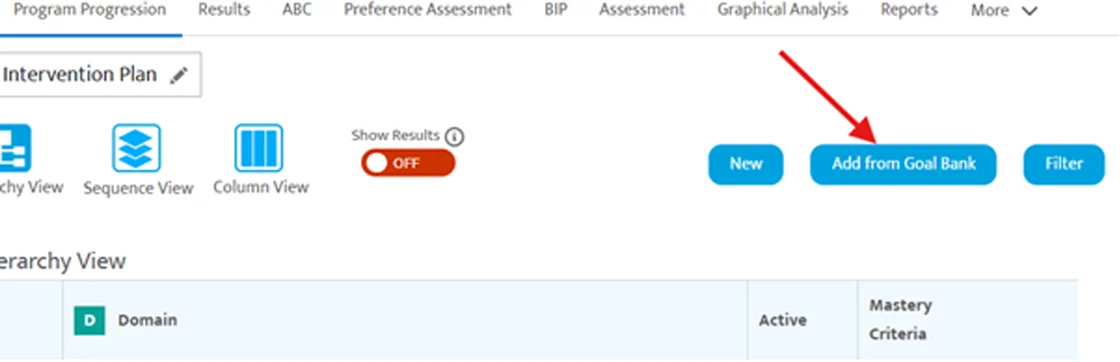
- Add from Goal Bank: Fixed an issue with searching in the Add from Goal Bank option in the Client Intervention Plan.
Artemis ABA
- Authorization Automation: Resolved an issue so authorizations now automatically switch from Pending to Active on the start date when this option is enabled.
- Session Notes – Start/End time: Fixed a problem so that session clock start/end times correctly pull into the session note when your practice uses actual session clock time for claims.
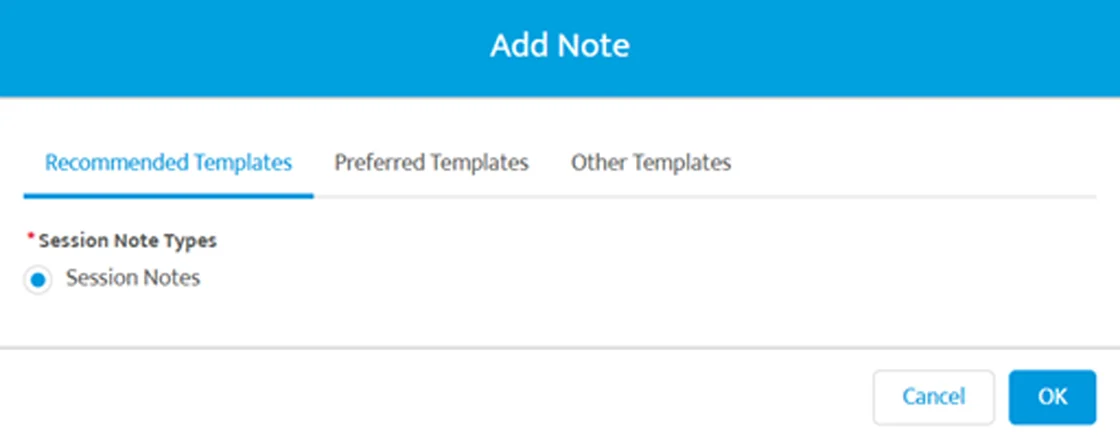
- Default Notes: When adding a note from the session details page, the default Recommended Template is automatically selected to avoid confusion.
Artemis ABA
Coming Soon
- Insurance Discovery: With the new Insurance Discovery add-on, you’ll be able to quickly find and verify a client’s active insurance.
- Parent Portal Redesign: The Care Portal is being redesigned with updated features as it transitions to the new Parent Portal.
- View Past Data: RBTs will soon be able to view recently collected data directly from their device while in a Data Collection session.
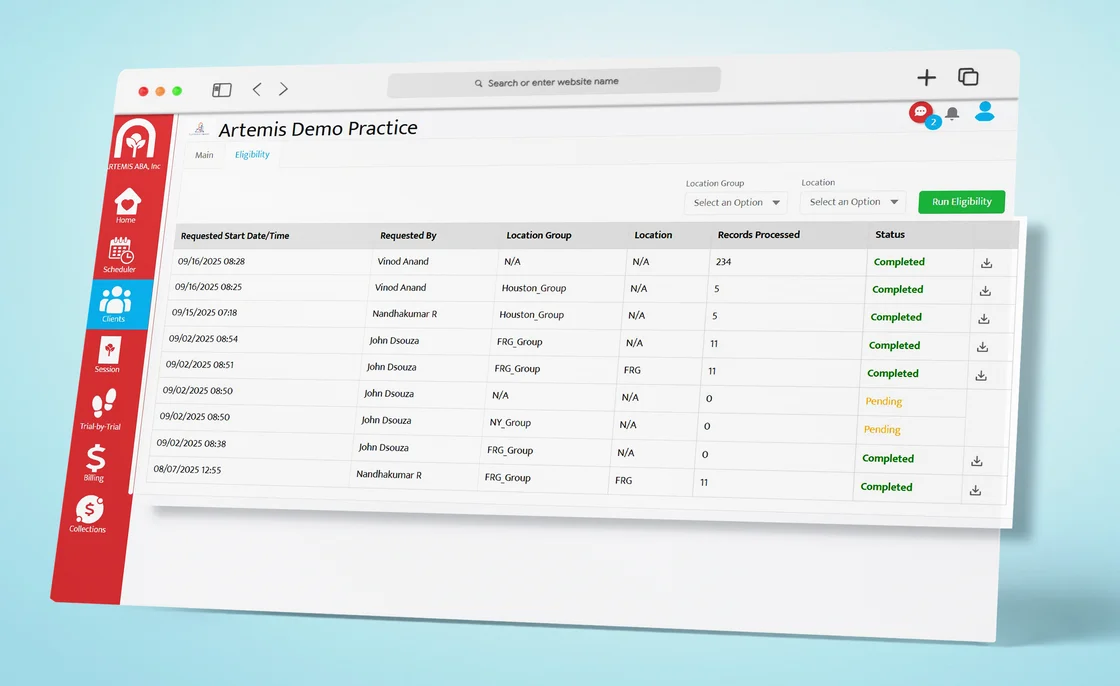
- Bulk Eligibility: You can now run bulk eligibility checks in Artemis using a new add-on feature. This helps you verify multiple clients’ payor information at once.
Artemis ABA
Contact customersupportticket@artemisaba.com for more information on this add-on feature.
Learn More
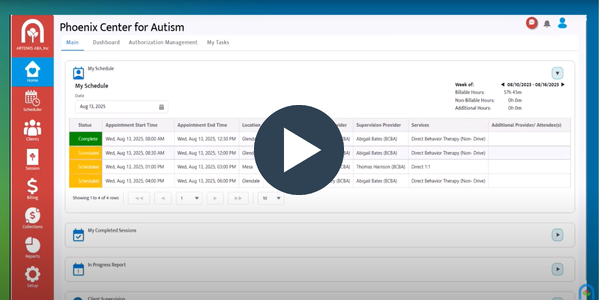
- Artemis Scheduler: Watch this quick overview to see what the Artemis Scheduler has to offer.
Artemis ABA
- Anodyne: This add-on feature allows you to easily manage outstanding client balances (patient responsibility) in Artemis.
Contact Us
Join the Live Support Room — to reach an Artemis team member at any time, 7 am - 7 pm CST.
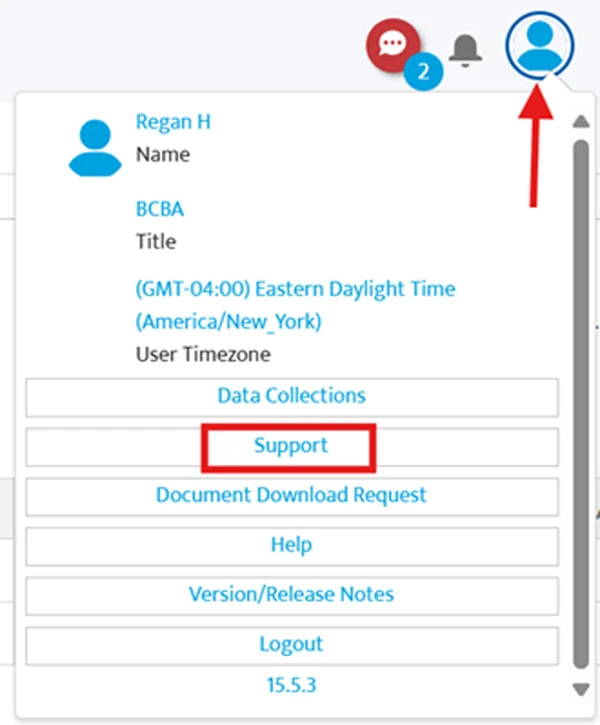
You can also contact us at customersupportticket@artemisaba.com — we're here to help!
We hope these updates make your practice operations smoother and more efficient! If you have any questions or need assistance, don’t hesitate to reach out to our support team.
Thanks for being a part of the Artemis family! We can’t wait for you to explore these new features. Happy practicing!🌟


Artemis ABA Inc., One Hanover, 16633 N Dallas Pkwy, Suite 456, Dallas, TX 75001, US, (469) 242-6053
Unsubscribe Manage preferences